
AI workspace, installed on your infrastructure
Ask your documents, email and chats. Get answers that cite the source.
Nexa, the AI assistant of Mislata, searches the files, mailboxes and Slack or Teams conversations your teams connect, answers with citations, writes documents from your templates and uses the tools you allow. Mislata is installed in your own cloud or data centre, on Kubernetes or a single server. Documents, chats and indexes stay there, and prompts go only to the model endpoints you approve.
What it does
Six things people do with Mislata.
Each one works inside a Space, under the same access rules and the same policies.
- 01
Ask across your sources
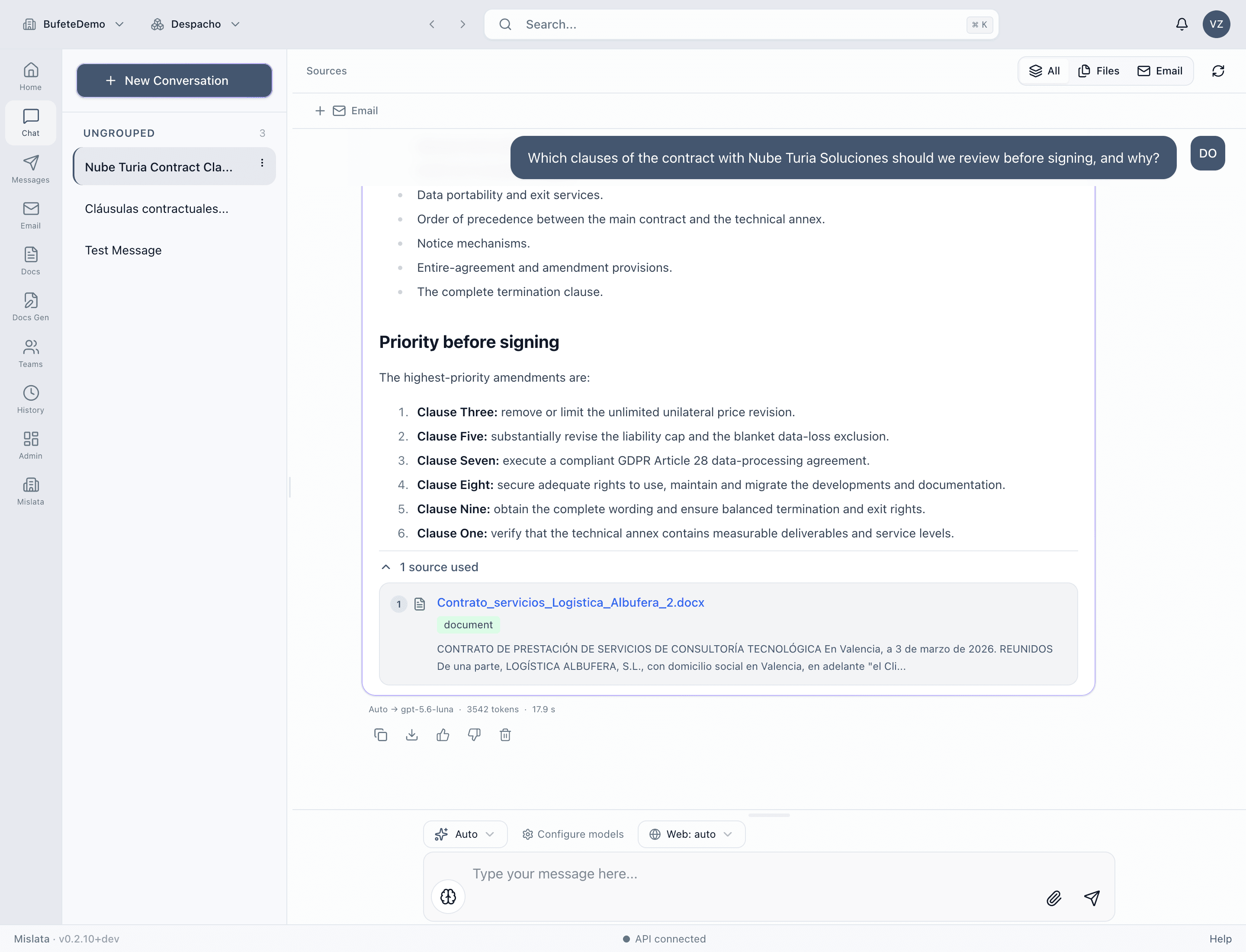
Ask Nexa, and it answers from the documents, email and Slack or Teams messages indexed in a Space. Every answer lists the passages it used, and each citation opens the original.
For exampleWhat did we agree with the client about the delivery date?
- 02
Organise work in Spaces
A Space per client, matter or project, with its own sources, members and roles. Guests can be invited with an expiry date.
For exampleCreate a Space for the new office lease and invite the external counsel.
- 03
Use tools in the chat
Nexa can search the web through the search service you run and call the tools of the MCP servers your administrators register.
For exampleCheck this week's exchange rate and update the cost table.
- 04
Write documents from your templates
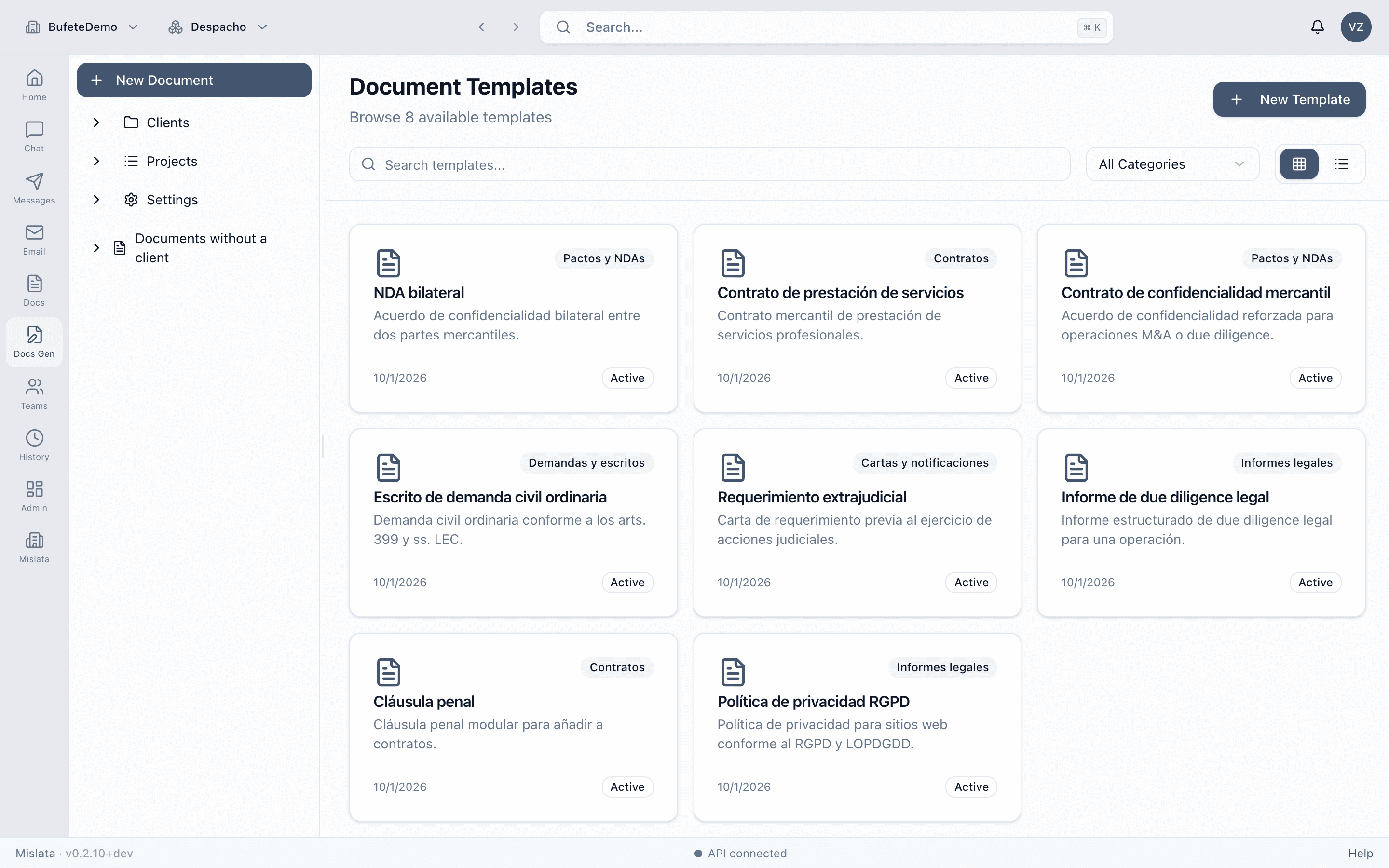
The document generator drafts long documents from your organisation's templates, lets you revise them with an assistant and exports to Word, PowerPoint, PDF or Markdown.
For exampleDraft a twelve-month services agreement from our standard template.
- 05
Reuse prompts, share results
Keep prompts in a shared library. Export an answer to Word, PDF or Markdown (Excel when it has a table), or send it to a Slack or Teams channel after the policy check.
For exampleSend this summary to the project channel.
- 06
Apply policies, keep a record
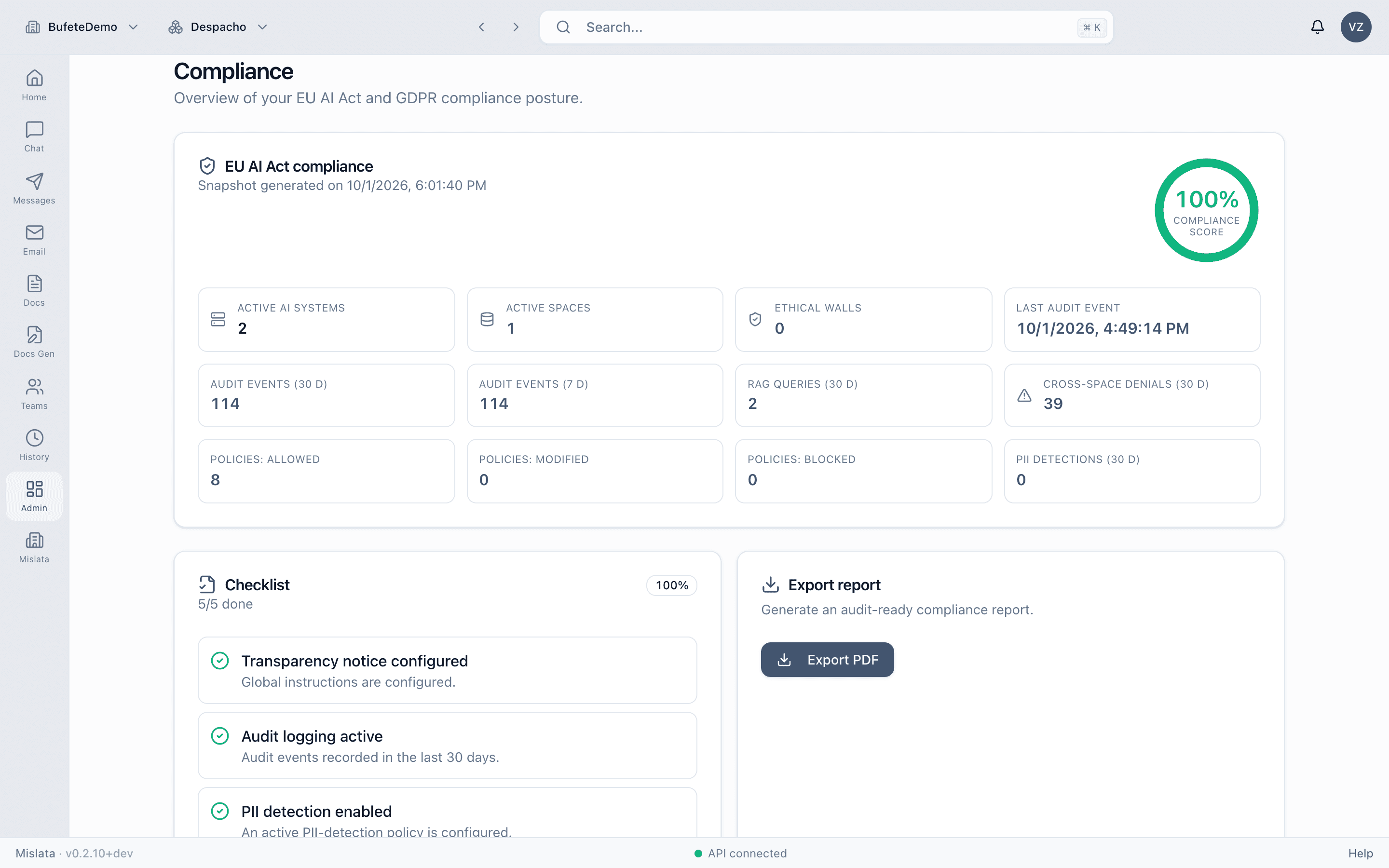
Before each model call, policies can redact personal data, block forbidden words and enforce token budgets. Every call is recorded with user, model, tokens and cost.
For exampleRedact personal data in every prompt before it reaches the model.
In the product
The product as it is today.
Screens from the current version, in a demo tenant set up as a law firm. The number next to each capture refers to the list above.
Demo tenant of a Spanish law firm: the data is in Spanish and fictional.
Organisational context
One question across the systems where work happened.
A decision rarely lives in one file. Nexa answers from the approved material in a Space: documents, selected email and selected conversations. Each answer cites the original item. Space membership, source ownership, document access lists and ethical walls decide what may be retrieved.
Example question
What changed in the proposed contract, who approved the exception, and what was agreed with the client?
01 / Documents
SharePoint, OneDrive, Google Drive and uploaded files
Indexed into a Space. Answers cite the file.
02 / Email
Outlook and Gmail
Messages and supported attachments from mailboxes a user connects. Mislata does not read every mailbox.
03 / Conversations
Slack and Microsoft Teams
Messages a user chooses to index into a Space. Citations link back to the original message where possible.
Information boundaries
Breadth, inside a boundary.
More sources only help if each answer stays where it belongs. Four controls decide what retrieval may return.
- 01
Teams and Spaces
Work is grouped in Spaces with Owner, Editor, Viewer and External roles. Tenant teams share chats, knowledge and documents.
- 02
Document access lists
An access list on a document restricts who can retrieve it. Retrieval skips what the user may not read.
- 03
Connector ownership
Email and messages indexed from a user’s connection stay owned by that user in retrieval.
- 04
Ethical walls
A wall between two Spaces stops anyone from being a member of both and stops Shared-Space retrieval from crossing it. It is not a complete conflict-checking system.
Where it runs
In your environment, with your models.
Mislata installs in your Azure subscription, a Kubernetes cluster or a single server. Identity, data, files and secrets stay in your environment, and you choose which model endpoints it may call.
How it deploysYour environment
Azure subscription, Kubernetes cluster or a single server
- Mislata
- Web app, API, document generation and export
- Identity
- Microsoft Entra ID or QuantumID
- Data
- PostgreSQL with pgvector, Redis
- Files
- S3-compatible storage or Azure Blob
- Secrets
- Kubernetes Secrets or Azure Key Vault
Model endpoints you approve
Azure OpenAI and Foundry, Anthropic, OpenAI-compatible
Sources you connect
SharePoint, OneDrive, Google Drive, Outlook, Gmail, Slack, Microsoft Teams
Where to start
The first question each buyer asks.
CIO / CTO
Can we adopt this without adding another uncontrolled AI service?
How it deploysSecurity architect
Where does each component run, and what leaves the boundary?
Security and governanceLegal and compliance
Can teams use AI without crossing matter or client boundaries?
Platform and boundaries
Next step
Start with a deployment review.
Tell us where Mislata should run, which identity provider you use and which models you have approved. We go through the architecture with your team before anything is installed.